Best free websites to edit photos in 2023
Anyone looking to edit photos and treat them with quality, either as a hobby or even for a professional job, knows that a photo editor is essential.
Most professional photo editing apps are paid for, but that doesn’t mean you’re going to sacrifice quality if you choose an app that doesn’t cost as much as Adobe Lightroom or Photoshop.
Some photo editing apps are cheaper or even free and manage to offer good quality for your photographic works.
Editing photos allows you to make the right impression of what you want to convey with the image, regardless of whether the post will be made on a social network or will be part of a blog, corporate website or your portfolio.
The visual part on the internet counts for many points, being, in fact, indispensable for any type of presentation. But to achieve this goal, it is not necessary to spend exorbitant amounts to work on the aesthetics and achieve the desired goal.
Keep reading to understand how a photo editor works and which options are best for you.
Where to edit photos in 2023?
The photo editing software or application will allow you to change the images according to what you want.
Image transformations can be extreme or small adjustments to color and contrast, which are key elements of a perfect image.
and why this happens? Internet users do a kind of dynamic reading through the sites before reading any type of content. And what stands out? Yes, exactly that, the photos.
According to research carried out by Venngage, having images and photos inserted in a text can increase the reader’s interest in the content by 80%.
The same thing happens on social media: posts that contain images receive 180% more engagement than text-only posts.
Now that you already know about the importance of using an image editor for your personal and/or corporate and professional photos, get to know some options of this tool that can be a real hand in the wheel.
PIXLR
This is the best option at no cost compared to Photoshop. With a wide range of features for both professionals and amateurs, it can be used on the computer without the need to download. Only on tablets and cell phones you need to use the app.
The tools it offers allow for overlays, effects, advanced color selection and many others that are usually only available in premium image editors.
Pixlr also has a premium version, which can be subscribed for an average price of US$ 4.99 per month, offering, in addition to all the resources, access to templates, fonts and image bank.
GIMP
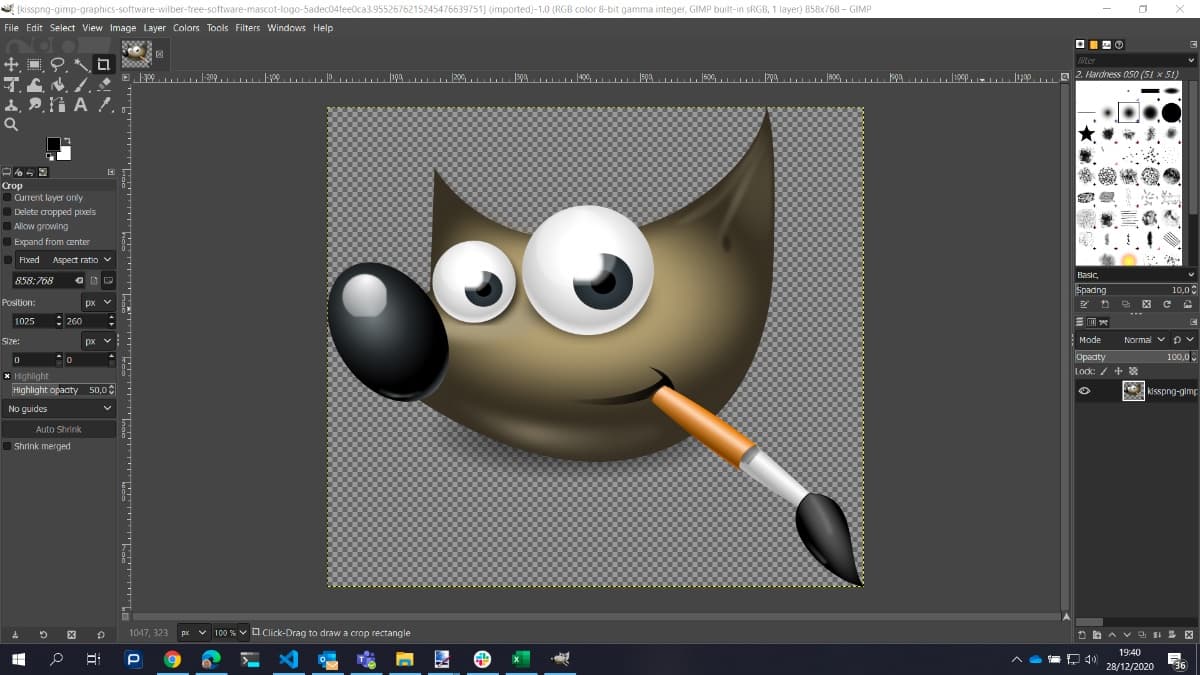
Free and open source, it is recommended for advanced users and helps to retouch an image or create it from scratch. It has a customizable interface, retouching options, changing perspective, smart selection and various healing tools, in addition to having user plugins to extend the functionality of this online photo editor.